
by Rickard Nobel
Some common network tools, like NETSTAT or ARP, are not present in the ESXi Shell. However, there are equivalent tools available through the esxcli utility. Netstat is a classic tool available in almost all operating systems and can display the listening ports as well as the state of TCP sessions. This is often very useful to determine if a TCP three-way handshake has been setup to a remote server or if a local service is listening on a certain port.
The ESXi command to emulate netstat is:
esxcli network ip connection list

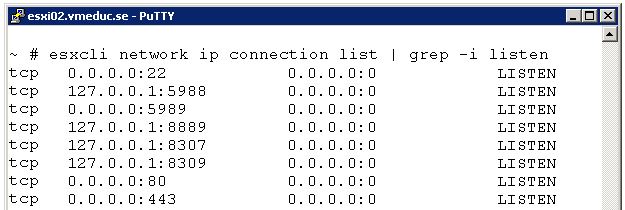
You can apply filters on the output using “grep, ” along with the -i switch for non-case sensitive queries. For example, to display all listening ports in the ESXi hyper-visor use:
esxcli network ip connection list | grep -i listen
esxcli network ip connection list | grep –I established
Another practical use would be to verify that the local iSCSI initiator has been able to connect to a iSCSI SAN we could filter for the TCP port 3260 (default port for iSCSI Target):
esxcli network ip connection list | grep 3260

We can see from the figure above that the ESXi host has an established connection to the iSCSI SAN with IP address 192.168.100.10.
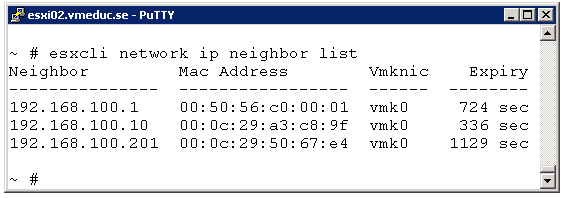
Another common utility found on most TCP/IP implementations is arp, which displays the mappings between layer three IP addresses and layer two MAC addresses. As with Netstat, ARP is not available in ESXi, but there is also an option available in esxcli.
To get the ESXi version of “arp -a” you could use:
esxcli network ip neighbor list